

Description
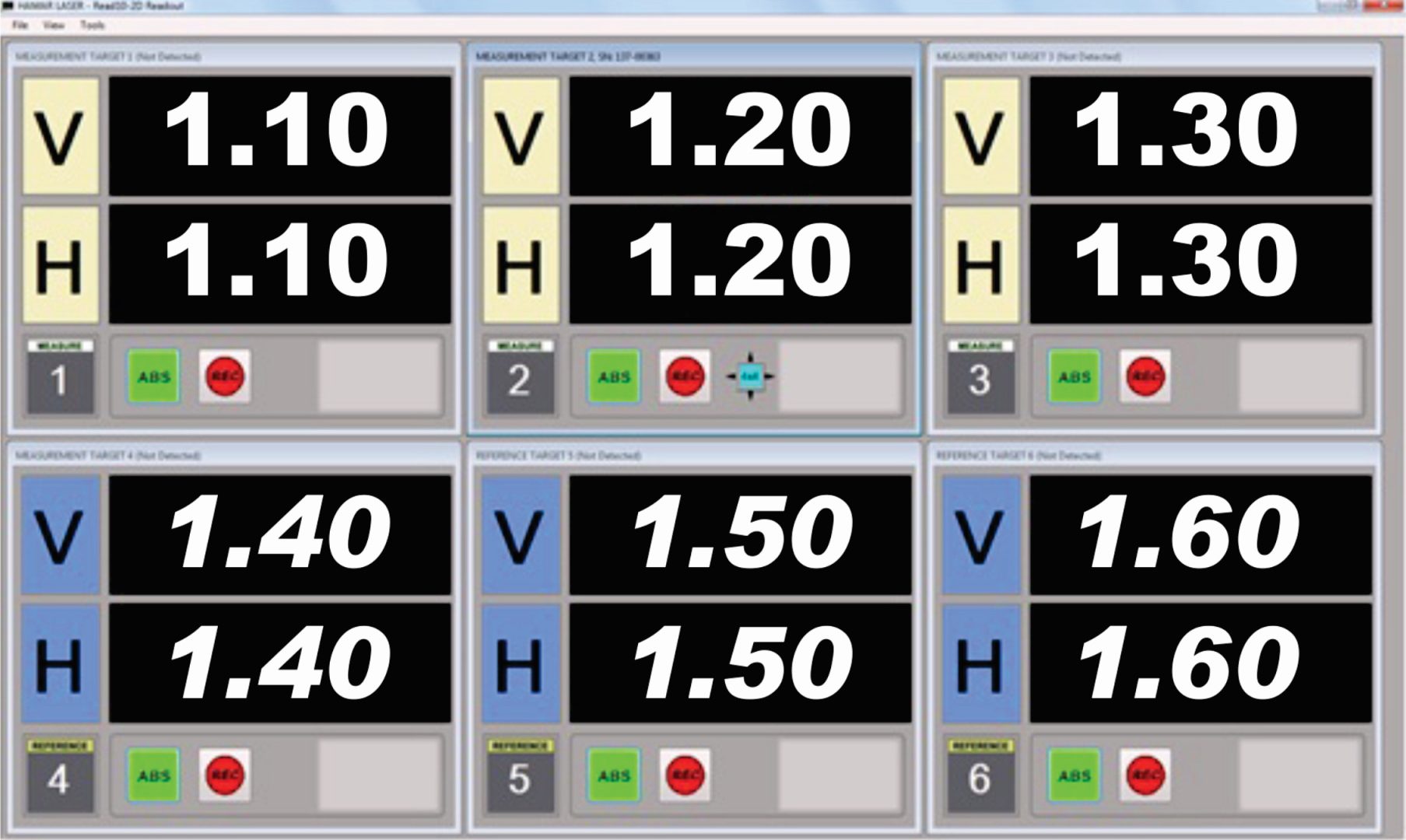
Hamar Laser’s Read10-2D is an easy-to-use readout program that runs under Microsoft Windows® on a laptop computer or tablet-PC. The software can support as many as 6 2-axis targets utilizing Hamar Laser’s R-1307-900, R-1307-2.4 and R-1307-2.4ZB Readouts used with the A-910-900, A-910-2.4 and A-910-2.4ZB Radio Receiver/Hubs.
The software features indicators for battery life and background light for each target. Readings may be viewed for a single target, for the measuring and reference targets separately, or for all four targets simultaneously. The Options Menu allows the user to easily change and save settings for units, tolerances, resolution display preferences, communication parameters and other program features, and collected data may be previewed and exported to an Excel spreadsheet for report generation and printing.
Applications
Features
Easy Setup
Measurement/display units, resolution and the deviation from center-allowable tolerance (±) are all selectable from the Units and Tolerances tab. 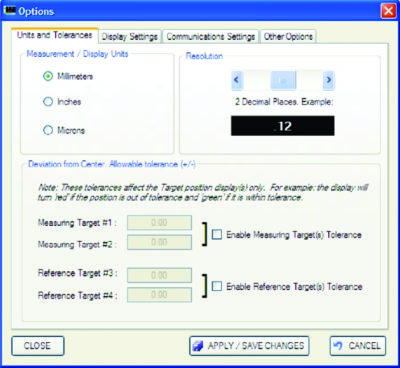
- Measurement/Display Units can be specified in millimeters, inches or microns.
- Resolution changes the number of decimal places (for example, from .1 to .123).
- Deviation from Center-Allowable Tolerance enabled measuring and reference target tolerances (both Horizontal and Vertical axes need to be in tolerance for the readout numbers to turn green.
Program Customization
Customize how the program displays data and uses color, and change coordinates (V/H to Y/X) with the Display Settings tab.
Communication Settings and Status
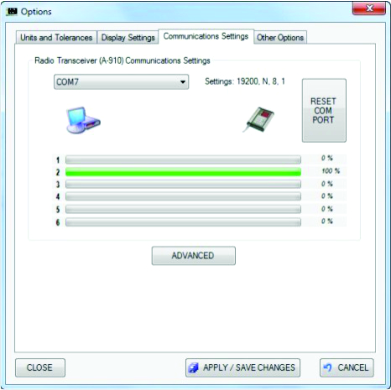
Quickly establish communication with and check the efficiency rate for wireless targets with the Communications Settings tab.
Viewing Data
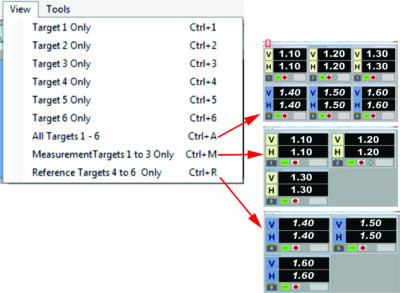
The View Menu on the bar above the Data Screen allows the customization of how recorded data is viewed. The View Menu also lists convenient Ctrl+ key combinations to access the Data Screen views. Each target display box shows the target number, the R-1307 serial number and an icon to identify the target type (PSD size). Clicking on either the Target Number or on the Target Type icon displays the Target/Device information specific to each target.
When a single target is selected, the data display screen for that target expands in size, allowing the target data to be viewed from as far away as 50 feet.
Generating Reports
Collected data may be previewed and exported to an Excel spreadsheet for report generation and printing
Specifications
Drawings
- Call Us: +1-203-730-4600
- Email: sales@hamarlaser.com
- Website: www.hamarlaser.com